I Tested 5 Trading Robot Builders. Here's What I'd Choose for Myself
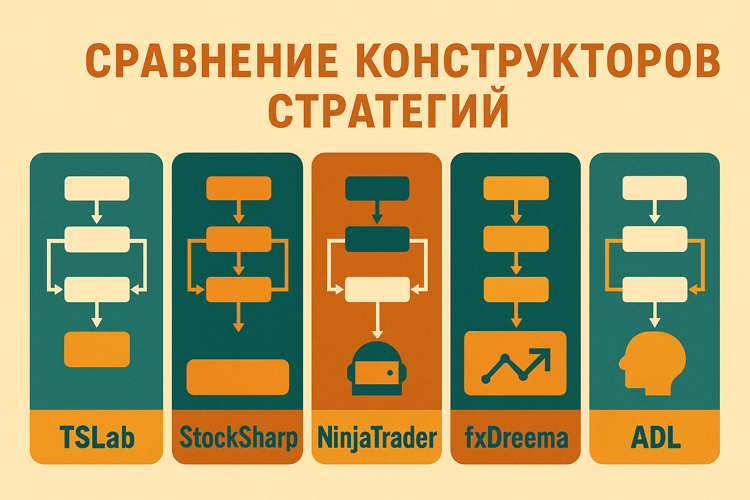
A month ago, I started an experiment: test all popular visual trading strategy builders. The idea was simple — understand whether it’s really possible to do algorithmic trading without programming in 2025.
I went through five platforms. On some, I built working robots. On others, I hit limitations. On one, I couldn’t even get access.
This won’t be a comparison table with checkmarks. This is the story of what I learned, what I faced, and what I’d choose for myself now.
How I Tested
The criteria were simple:
- Can I get access? (demo, trial, free version)
- Can I build a simple strategy in an hour?
- Will it run on a real/demo platform?
- What happens when the strategy gets complex?
- How much does it really cost?
Platforms in line:
- TSLab
- StockSharp Designer
- NinjaTrader Strategy Builder
- fxDreema
- ADL by Trading Technologies
Let’s go through them in order.
TSLab: When You Want a Ready-Made Solution
What it is: A Russian platform with a visual builder. Flowcharts, drag-and-drop, integration with Russian brokers out of the box.
First Impression
Downloaded the demo from the official site. Installation took about five minutes. Launched it — the interface is in Russian, which is already nice after many Western platforms with clunky translations.
Opened the strategy builder — it’s called “Flowchart Editor.” It really does look like visual programming: on the left is a panel with blocks (indicators, conditions, actions), on the right is the workspace.
Dragged a “Moving Average” block, connected it to closing price data, added a second moving average, linked them with a comparison block. Got the classic two-MA crossover. This took about 20 minutes including learning the interface.
When Details Start Mattering
The first strategy works — that’s encouraging. But as soon as I tried to add complexity, nuances appeared.
Added a volume filter: I want to enter only if the current candle’s volume is above the average of the last 20 candles. In code, that’s two lines. In the visual builder — five more blocks, three connections, and the flowchart started sprawling across the screen.
Then I added a time check: trade only from 10:00 to 18:00 Moscow time. Three more blocks. The chart turned into a maze. I started losing track: which block goes where, what’s being compared to what.
Tried adding comments to blocks — possible, but they don’t help much when you have 30 blocks and 50 connecting lines on screen.
Performance
Ran a backtest on three years of Sberbank stock data using daily candles. It computed in about 15 seconds. Not fast, but acceptable.
Decided to test on hourly candles — had to wait about three minutes. For a visual builder, that’s normal, but you can feel the engine isn’t the most optimized under the hood.
Broker Integration
This is TSLab’s strong suit. Opened connection settings — a list of Russian brokers:
- Finam
- BCS
- Otkritie
- Sberbank
- Alor
- VTB
- plus a dozen others
Each with setup instructions. Tried connecting to Finam’s demo account via Transaq — works. The robot sees position, balance, can place orders on the test account.
This is convenient: no need to deal with APIs, tokens, authentication. Everything through GUI, everything in Russian.
Price and Licensing
This is where the pain begins.
The demo version only works on historical data. To run a robot on a real or even demo account with live quotes — you need a paid license.
Options:
- 5,000 rubles per month (cancel anytime)
- 60,000 rubles per year (saves 10,000)
- 150,000 rubles for three years (even bigger discount)
60,000 per year. That’s serious money for an individual trader. If your capital is 500,000 rubles — that’s 12% of your capital just for the tool. Your capital needs to yield at least 12% annually just to cover the platform cost.
Plus an important point: your strategy only lives inside TSLab. No export to Python, C#, or MQL. If you decide to leave the platform — you’ll have to rewrite everything from scratch.
This is classic vendor lock-in. You’re tied to the platform.
Documentation and Support
Documentation exists, in Russian, quite detailed. There’s a section with strategy examples — you can open them and see how typical patterns are implemented.
The forum is active, questions get answered. There are paid TSLab courses if you need accelerated onboarding.
Support responds within a day. Not instant, but tolerable.
TSLab Verdict
TSLab works. It’s a ready-made commercial solution for the Russian market. If you’re a trader without programming skills, trade on the Moscow Exchange, and are willing to pay 60,000 per year — it’s a viable option.
But the price and vendor lock-in are serious downsides.
Main con: Price (60k/year), no code export, vendor lock-in.
Main pro: Ready-made solution with support and easy Russian broker integration.
For whom: Traders on the Moscow Exchange who don’t want to learn programming, have sufficient capital (at least 2-3 million rubles), and are willing to pay for a supported solution.
StockSharp Designer: A Professional Platform at No Cost
What it is: A professional algorithmic trading platform with a visual Designer builder. Over 90 exchange connections worldwide, free for individuals. You can export strategies to C# code.
First Impressions
Downloaded from the official site. Standard installation, about 300 MB. Launched Designer.
The interface is professional. You can tell the platform was built by programmers for programmers, but the visual builder makes it accessible to non-programmers too.
Blocks, connections, drag-and-drop — the logic is the same as TSLab. But there’s a noticeable difference in approach: TSLab is maximally simplified, StockSharp gives more control.
Building a Strategy
Built the classic moving average strategy. Logic similar to TSLab: indicator blocks, conditions, actions.
Interesting observation: Designer lacks some of TSLab’s “simplified” blocks. For example, there’s no ready-made “Session Time Check” block — you need to build it from basic condition blocks.
On one hand, that takes a bit longer. On the other — it gives flexibility. You can create any non-standard check without being limited to ready-made templates.
Built the strategy in 25 minutes. Slightly longer than TSLab, but the result is more flexible.
Code Export — The Key Feature
This is what sets StockSharp apart from all other builders.
Built a strategy visually. Clicked “Export” > “C# Project.” Designer generated a full console application in C#.
Opened it in Visual Studio — it’s clean, readable code. You can edit, modify, build into an .exe.
Ran it on a VPS without GUI — works perfectly. The strategy trades, writes logs, everything as it should.
This fundamentally changes the approach: you start visually (fast), if you hit the builder’s limitations — export and refine in code. Complete freedom.
TSLab doesn’t have this. NinjaTrader has export, but only to their NinjaScript, which only works within the platform. In StockSharp — it’s fully independent C# code.
Broker Connections
StockSharp supports over 90 connections:
Russian brokers:
- QUIK (all connection variants)
- Transaq (Finam)
- Plaza II
- SmartCOM (ITI Capital)
- Alor API
- Tinkoff Invest API
- FIX/FAST protocols
International:
- Interactive Brokers
- LMAX
- Rithmic
- Sterling
- E*Trade
Cryptocurrency:
- Binance
- Bitfinex
- BitStamp
- BTCE
Setup requires understanding what a connector is and where to get connection parameters. This is more complex than “pick a broker from a list” in TSLab, but it gives universality.
Tried connecting Tinkoff demo. Created a token in the personal account, got the account_id, entered it in the connector settings. Worked on the first try.
Performance
Ran a backtest on the same data (3 years of Sberbank, dailies). Result — 8 seconds. Nearly twice as fast as TSLab.
Tried hourly candles — 1.5 minutes versus 3 minutes in TSLab.
You can feel the engine is better optimized. This makes sense — StockSharp is used for HFT algorithms, performance is critical.
Documentation and Community
Documentation is detailed, in Russian. Official documentation covers all aspects — from basic examples to complex HFT strategies.
The forum is less active than TSLab’s. That’s normal for an open-source project. But answers are usually competent — from the developers themselves or experienced users.
The key difference: TSLab is oriented toward beginners, StockSharp — toward those who want control and flexibility.
Cost
Free for individuals. Completely. With no feature limitations.
For companies — about 100,000 rubles per year. But that’s for companies using the platform commercially.
Paid technical support is available optionally, but for most tasks the documentation and forum are sufficient.
StockSharp Designer Verdict
StockSharp is a professional platform that gives maximum capabilities for free.
If you need flexibility, code export, support for many exchanges, and are willing to spend a bit more time learning — it’s the best choice.
Main con: Takes time to learn (not as simple as TSLab for absolute beginners).
Main pro: Free, C# code export, 90+ connectors, performance, no vendor lock-in.
For whom: Traders who want a professional tool without annual payments. Those willing to invest time in learning for full control. Programmers who need a visual builder for prototyping with subsequent code export.
NinjaTrader Strategy Builder: The American Standard
What it is: An American platform for futures. Strategy Builder is a visual builder, but not with blocks — with a tabular interface.
Getting Access
Downloaded NinjaTrader from the official site. Free for simulation trading (with fake data).
For trading with real data, you need a license or a connection through a broker that provides NinjaTrader for free.
I requested a simulation license through support. Within 24 hours, they sent activation.
Interface — Table, Not Blocks
Opened Strategy Builder. First surprise: it’s not a flowchart. It’s a table with conditions.
Imagine Excel: column A — condition 1, column B — condition 2, column C — action. Row 1: if RSI > 70, sell. Row 2: if RSI < 30, buy.
This is called “Set-based logic.” Multiple conditions are combined into sets, each set is a rule.
For simple strategies (one or two conditions) — works great. Clear, readable.
For complex strategies, you start getting confused. Which set is connected to which? Which conditions are AND, which are OR?
There’s a “Chart view” — a visualization of rules as a diagram. It helps, but still less intuitive than the flowcharts of StockSharp or TSLab.
Backtesting
Ran a backtest on E-mini S&P 500 futures. Five years of history, minute bars.
Results are displayed professionally: Sharpe Ratio, Maximum Drawdown, Win Rate, Profit Factor, Average Trade, dozens of metrics.
Equity charts, profit/loss distributions — all top-notch.
Problem: the backtester works on NinjaTrader data. There’s no historical data for the Russian market. You’d have to import your own data, which is non-trivial.
Russian Broker Connection
This is where NinjaTrader fails for Russian traders.
Supported brokers:
- Interactive Brokers
- TD Ameritrade
- FXCM (forex)
- Rithmic, CQG (futures)
- Dozens of other Western brokers
Russian brokers — none. Moscow Exchange — none.
Technically, you could write a custom connector, but that’s C# development. If you can write connectors — why do you need a visual builder?
Price
Lifetime License: $1,499 (about 150,000 rubles at current rates).
Lease License: $999 per year (about 100,000 rubles).
Free: If you trade through certain brokers (they subsidize the license).
150,000 lifetime — after 2.5 years it’s cheaper than TSLab. But only if you trade American markets.
Community and Documentation
Huge English-speaking community. Active forums, YouTube is full of tutorials.
Documentation is excellent. Every feature is described with examples, video guides, FAQ.
But everything is in English.
NinjaTrader Verdict
NinjaTrader is a mature professional platform for American markets.
If you trade futures on CME, CBOT — it’s a top choice. If you need the Russian market — it doesn’t fit.
Main con: No Russian market support, tabular interface is less visual.
Main pro: Professional backtester, huge community.
For whom: Traders of American futures who know English and are ready to pay 150,000.
fxDreema: MetaTrader in the Browser
What it is: A web application for creating Expert Advisors for MetaTrader (MT4/MT5). Browser-based flowcharts, MQL code generation.
First Encounter
Went to fxdreema.com. Registration is free.
Opened the editor — it works right in the browser. No installations.
The interface is simple: blocks on the left, workspace on the right. Standard blocks: indicators, conditions, loops.
Built an RSI strategy in 15 minutes. Clicked “Generate code” — got an .mq4 file.
Code Generation
Downloaded the file. It’s regular MQL4 code. Readable, with comments.
Copied it into MetaTrader 4 > Experts folder. Recompiled. Ran it on demo.
Works. The Expert Advisor trades according to its logic.
This is convenient if you already trade through MetaTrader and want to automate a strategy but don’t want to learn MQL.
Free Version Limitations
The free version is limited to 10 connections between blocks.
A simple strategy (RSI > 70 -> sell) — that’s 3-4 connections. Fits.
But a complex strategy (multiple indicators, nested conditions) — 10 connections run out fast.
Tried building a strategy with three indicators — needed 15 connections. fxDreema said “Upgrade to Pro.”
Paid Version
fxDreema Pro: $99 per year (about 10,000 rubles).
10,000 per year — cheaper than TSLab (60,000) or NinjaTrader (100,000).
But it’s a subscription. Stop paying — access is closed.
Risks
fxDreema is a startup. Small team.
If the project shuts down — you’re left without a tool. Yes, previously generated code will remain, but you won’t be able to generate new code.
The Alternative — Learn MQL
Honestly, if you already trade through MetaTrader — it makes sense to spend a weekend learning basic MQL.
The language isn’t hard. A basic tutorial, examples from the docs — and you can already write simple Expert Advisors.
MQL gives full control. No limitations, no subscriptions.
fxDreema Verdict
fxDreema is a crutch for those who don’t want to learn MQL. It works, but it’s a third-party service.
Main con: Dependence on a third-party service, risk of project closure.
Main pro: Quick start, no need to learn MQL, cheap (10k/year).
For whom: MetaTrader traders with simple strategies, not willing to learn MQL, willing to pay 10k/year.
ADL: Enterprise Solution
What it is: Algo Design Lab by Trading Technologies. A visual builder inside the professional TT Platform Pro.
Attempting to Get Access
ADL is a module within TT Platform Pro.
Went to the Trading Technologies website. “Pricing” section — says “Contact Sales.”
Wrote via the form. A week later — silence.
Googled prices. Found a discussion on Reddit: minimum $1,500 per month. $18,000 per year. About 1.8 million rubles.
This is an enterprise solution. Not sold to individual traders.
Who ADL Is For
Clients — hedge funds, prop trading firms, market makers.
ADL is built for professionals:
- Integration with dozens of exchanges
- Ultra-low latency (microseconds)
- Complex algorithms (TWAP, VWAP, Iceberg)
- Built-in risk management
- Compliance and audit
This is for those who trade millions of dollars per day.
ADL Verdict
ADL is an enterprise solution for institutional players.
Inaccessible for ordinary traders.
Main con: Price ($18,000/year), inaccessibility.
Main pro: Professional level, ultra-low latency.
For whom: Hedge funds, prop firms with volumes in the hundreds of millions per year.
Comparison by Criteria
Accessibility
StockSharp: Completely free, no limitations.
TSLab: Demo free (history only). For live — paid license.
NinjaTrader: Free simulation. For real data — license or broker.
fxDreema: Free with 10-connection limit.
ADL: Inaccessible for individuals.
Winner: StockSharp.
Flexibility
StockSharp: C# code export — complete freedom.
Designer: Same as StockSharp.
TSLab: Visual builder only or C# scripts inside TSLab.
NinjaTrader: NinjaScript only (tied to platform).
fxDreema: Generates MQL code (independent).
Winner: StockSharp (exports to a full C# project).
Price (Per Year)
StockSharp: 0 rubles
TSLab: 60,000 rubles
NinjaTrader: 100,000 rubles (lease) or 150,000 (lifetime)
fxDreema: 10,000 rubles
ADL: ~1,800,000 rubles
Winner: StockSharp.
Russian Market Integration
StockSharp: 90+ connectors, including all Russian brokers.
TSLab: All Russian brokers, easy setup.
NinjaTrader: No Russian broker support.
fxDreema: Through MetaTrader (some brokers offer MT5).
Winner: StockSharp (maximum number of connectors).
Vendor Lock-in
StockSharp: Minimal (C# export).
TSLab: High (strategies only in TSLab).
NinjaTrader: Medium (NinjaScript).
fxDreema: Low (generates MQL).
Winner: StockSharp.
What I’d Choose for Myself
After a month of testing, the conclusion is obvious.
If Trading the Russian Market
StockSharp Designer.
Why:
- Free (versus 60,000 per year for TSLab)
- C# code export (complete freedom, no vendor lock-in)
- 90+ connectors (any broker, any exchange)
- Performance (faster than TSLab)
- Professional platform
Yes, you’ll need to spend a bit more time learning. But it’s an investment that pays off.
TSLab makes sense only if:
- Capital >30 million (60,000 is pocket change)
- Your time is categorically more expensive than money
- You categorically don’t want to deal with details
For everyone else, StockSharp is the rational choice.
If Trading American Futures
NinjaTrader — if you’re willing to pay and don’t want to learn programming.
Or StockSharp — if you’re willing to spend time setting up the Interactive Brokers connector but get a free platform with code export.
Or learn Python + Backtrader over a couple of weekends.
If Trading Through MetaTrader
fxDreema for very simple strategies (as long as you fit within 10 connections).
But honestly — better to spend a weekend learning MQL. An hour or two on syntax, a dozen examples — and complete freedom without subscriptions.
If You’re an Institutional Player
ADL. But that’s not my case.
Honest Final Verdict
Visual builders work. But they share a common problem: they eventually hit limitations.
Simple strategies are built easily. Moving average crossovers, RSI, MACD — all clickable in 20-30 minutes.
But when things get more complex:
- Flowcharts turn into spaghetti
- Free versions hit limits
- Performance suffers
- You have to switch to code
The paradox: Builders are created to avoid programming. But for serious work, you’ll have to code anyway.
My Personal Decision
StockSharp Designer for prototyping, export to C# code for production.
Visual builder — for quick experiments. Code — for live trading.
Why StockSharp:
- Free (saves 60k+ per year)
- C# export (no vendor lock-in)
- Performance
- Professional platform
My Recommendations
For Beginners (capital <1 million rubles)
StockSharp Designer.
Free, functional, professional. Yes, it takes time to learn. But saving 60,000 per year is worth it.
Spend a month learning. Build 2-3 strategies, run them on demo. If you like it — continue. If you hit limits — export to C# and refine in code.
For Traders with Capital (>10 million rubles)
If time is more expensive than money — TSLab. Simple, clear, with support.
But objectively, StockSharp gives more for 0 rubles.
For Programmers
StockSharp for prototyping > export to C# > refinement.
Or go straight to code (Python/C#) without builders.
For Those Who Want Control
Learn programming. Python, C#, MQL.
A month of evenings on Python — and complete independence. No subscriptions, no vendor lock-in.
Summary: Comparison Table
| Criterion | StockSharp | TSLab | NinjaTrader | fxDreema | ADL |
|---|---|---|---|---|---|
| Price/year | 0 | 60k | 100-150k | 10k | ~1.8M |
| Russian market | 5/5 | 4/5 | 0/5 | 2/5 | 1/5 |
| Simplicity | 4/5 | 5/5 | 3/5 | 4/5 | ? |
| Flexibility | 5/5 | 3/5 | 3/5 | 2/5 | 5/5 |
| Performance | 5/5 | 3/5 | 4/5 | 2/5 | 5/5 |
| Vendor lock-in | Minimal | High | Medium | Low | High |
| For beginners | Yes | Yes | Yes | Yes | No |
| For professionals | 5/5 | 2/5 | 4/5 | 0/5 | 5/5 |
Useful links:
Share this article:
Related Posts


























Discussion
Join the discussion in our Telegram chat!