From Flowcharts to Code: How I Switched from Builders to Programming in 3 Months
A year ago I was assembling strategies in TSLab. Flowcharts, drag-and-drop, no code. It worked. Until I hit the walls.
I needed a custom indicator. I needed real-time trade statistics. I needed integration with an external API.
The builder couldn’t handle it.
I decided to learn programming. Three months ago I wrote my first line in Python. Today my robot trades, and all the code is mine.
This isn’t a story of “I’m a programming genius.” This is a story of “anyone can do it if they know where to start.”
Why I Decided to Learn Code
Trigger #1: Hit the builder’s limitations
I wanted to add an adaptive stop-loss based on ATR (Average True Range). TSLab has an ATR block. It has a stop-loss block.
But there’s no block for “dynamically adjust stop-loss each candle based on ATR.”
I could have written a C# script inside TSLab. But if I’m going to learn C# — why not just write in Python without platform dependency?
Trigger #2: Vendor Lock-In
Everything I built in TSLab lives only in TSLab. If the platform closes, updates, breaks — my strategies are dead.
Code in Python is a file. It’s mine forever. I can run it anywhere.
Trigger #3: Curiosity
I understood strategy logic. I saw connections between blocks. But what happens inside?
The builder hid the complexity. But when something broke — I didn’t understand why.
Code gives control. Complete control.
Where I Started: Choosing a Language
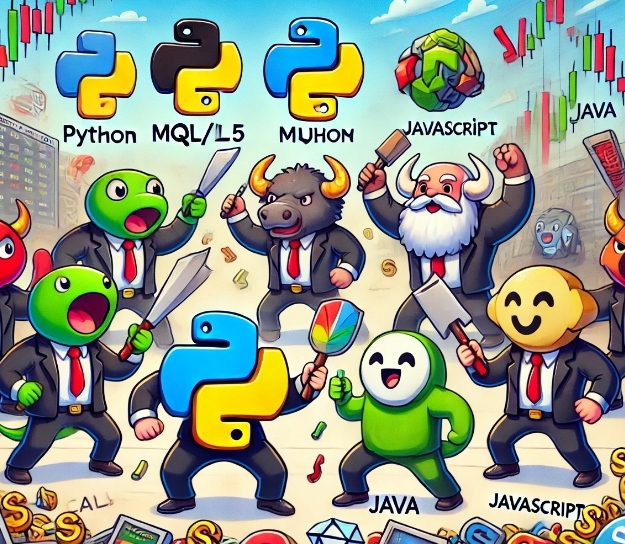
There were three options:
Python
Pros:
- Intuitive syntax, easy for beginners
- Tons of algo trading libraries (Backtrader, LEAN, ccxt)
- Best choice for ML and data analysis
Cons:
- Slower than C#/C++
- Not suitable for HFT
C#
Pros:
- Faster than Python
- Used in StockSharp, LEAN, NinjaTrader
- Good integration with .NET ecosystem
Cons:
- More complex syntax for beginners
- Fewer learning materials for algo trading
MQL5 (MetaTrader)
Pros:
- Syntax similar to C#
- Works directly in MetaTrader
- Large forex trader community
Cons:
- Tied to MetaTrader (vendor lock-in again)
- Limited capabilities for complex logic
My choice: Python
I chose Python. Because:
- Easier to start
- More materials for beginners
- Can quickly test ideas
- No need for HFT (I trade on hourly charts)
If you need speed — C# is better. But for a retail trader on daily/hourly timeframes, Python is enough.
Roadmap: 3 Months from Zero to a Working Robot
Here’s what I did. Week by week.
Weeks 1-4: Python Basics
What I learned:
- Variables, data types (int, float, string, list, dict)
- Conditions (if, else, elif)
- Loops (for, while)
- Functions
- File handling
Where I learned:
- “Learn Python in 6 Months” on Habr — study plan
- Free lessons from Skillbox
- Codecademy (first lessons free)
Time spent: 1-2 hours per day, 5 days a week. Consistency matters more than duration.
First result: By the end of the month I wrote a script that:
- Reads a CSV file with quotes
- Calculates a moving average
- Prints when SMA(20) crosses SMA(50)
Simplest logic. But my code.
Weeks 5-8: Data Analysis Libraries
What I learned:
- Pandas: working with tables (DataFrame)
- NumPy: mathematical operations
- Matplotlib: building charts
Why it’s needed: Almost all algo trading is processing tables with quotes (Date, Open, High, Low, Close, Volume).
Pandas makes this easy.
Example tasks:
- Load CSV with quotes into DataFrame
- Calculate SMA, EMA, RSI
- Plot price chart + indicators
Where I learned:
- Course “Python for Algo Trading” on Algotrading.rf
- Pandas documentation (simpler than it seems)
- YouTube tutorials
Result: Wrote functions to calculate any indicator:
import pandas as pd

def sma(data, period):
    return data['Close'].rolling(window=period).mean()

def rsi(data, period=14):
    delta = data['Close'].diff()
    gain = delta.where(delta > 0, 0).rolling(window=period).mean()
    loss = -delta.where(delta < 0, 0).rolling(window=period).mean()
    rs = gain / loss
    return 100 - (100 / (1 + rs))
Now I could implement any indicator logic. Without builder limitations.
Weeks 9-12: Backtrader — First Trading System
What I did: Studied the Backtrader library — a framework for backtesting strategies.
Why Backtrader:
- Simple structure (Strategy, Data, Broker)
- Built-in backtester
- Results visualization
My first strategy:
import backtrader as bt

class SmaCross(bt.Strategy):
    params = (('fast', 20), ('slow', 50),)

    def __init__(self):
        self.sma_fast = bt.indicators.SMA(period=self.params.fast)
        self.sma_slow = bt.indicators.SMA(period=self.params.slow)
        self.crossover = bt.indicators.CrossOver(self.sma_fast, self.sma_slow)

    def next(self):
        if self.crossover > 0:  # fast crossed slow from below
            if not self.position:
                self.buy()
        elif self.crossover < 0:  # fast crossed slow from above
            if self.position:
                self.sell()
Same logic that was in TSLab. But I control every line.
Result: Ran a backtest on 3 years of history. Got:
- Total return
- Sharpe Ratio
- Maximum drawdown
- Equity chart
Everything TSLab gave. But free and with full control.
Mistakes I Made
Mistake #1: Tried to learn everything at once
First two weeks I downloaded 10 courses, 5 books, subscribed to 20 YouTube channels.
Result: information overload. Nothing stuck.
What helped: One source at a time. Finished a course completely, then the next one.
Mistake #2: Read but didn’t write code
I watched videos, read tutorials. Thought “got it, it’s simple.”
When I sat down to write — couldn’t remember syntax.
What helped: Rule: for every hour of theory — an hour of practice. Watched a lesson → wrote code by hand.
Mistake #3: Didn’t build projects
I learned syntax. Solved exercises. But didn’t apply.
What helped: Set a goal: by the end of 3 months — a working strategy on Backtrader. This gave focus.
Mistake #4: Afraid to ask questions
Stuck on a problem — googled for hours, embarrassed to ask.
What helped: Stack Overflow, Reddit (r/algotrading), Telegram groups on algo trading. People help if the question is well-formulated.
When I Realized I Was Ready
The moment of insight came in week 10.
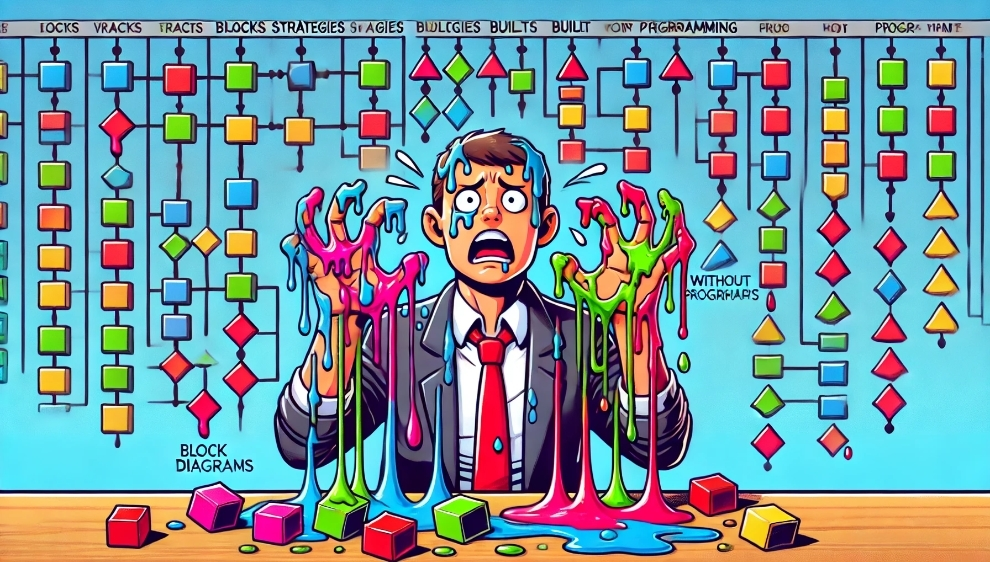
I opened an old strategy from TSLab. The flowchart looked like spaghetti. I tried to remember what it does.
Then I opened the same logic in Python code. Read it and immediately understood.
The code was more readable than the flowchart.
At that moment I realized: I can program.
Tools I Use Now
1. Code Editor: VS Code
Free, convenient, tons of extensions. Has debugger, syntax highlighting, autocomplete.
2. Backtrader (backtesting)
Main framework for testing strategies.
3. ccxt (exchange connectivity)
Library for working with crypto exchange APIs (Binance, Bybit, etc.). Unified interface for dozens of exchanges.
4. Jupyter Notebook (data analysis)
Interactive environment for experiments. Write code in pieces, see results immediately.
Great for:
- Loading data
- Testing indicators
- Building charts
5. Git (version control)
Store all code on GitHub. Every change — a commit. If something breaks — roll back.
Plan for Those Who Want to Follow My Path
If you’re currently in builders and thinking “learning programming is long and difficult,” here’s a realistic plan.
Step 1: Python Basics (4-6 weeks)
Tasks:
- Complete a basic Python course (Codecademy, Coursera, Skillbox)
- Solve 50-100 simple problems on Codewars or LeetCode Easy
Readiness criterion: You can write a function that takes a price list and returns a moving average.
Step 2: Pandas + NumPy (2-4 weeks)
Tasks:
- Learn DataFrame, reading CSV, data operations
- Calculate SMA, EMA, RSI manually
Readiness criterion: You can load a CSV with quotes, add an indicator column, build a chart.
Step 3: First Strategy on Backtrader (4-6 weeks)
Tasks:
- Study Backtrader documentation
- Port your strategy from builder to code
- Run backtest, compare results
Readiness criterion: Strategy works, results close to builder backtest (accounting for commissions and slippage).
Step 4: Real Market Integration (4-6 weeks)
Tasks:
- Connect broker API (QUIK, Alor, Binance)
- Run strategy on demo account
- Keep logs, track discrepancies
Readiness criterion: Strategy trades on demo for at least a month without critical errors.
Total: 14-22 weeks (3-5 months)
At a pace of 1-2 hours per day, 5 days a week.
This isn’t about “becoming a senior developer.” It’s about “writing a working trading robot.”
When Learning Programming Makes Sense and When It Doesn’t
Learn programming if:
- You’ve hit builder limitations
- You need custom logic (ML, arbitrage, portfolios)
- You plan to seriously pursue algo trading for years
- You’re interested in the process (not just the result)
Don’t learn programming if:
- Your strategy fits within builder blocks and works
- You don’t have time (1-2 hours per day minimum for 3 months)
- You trade manually and just want to automate one idea
- Programming causes aversion (if after a month it’s still unpleasant — it’s not for you)
You don’t have to be a programmer to trade algorithms.
But if you want control, flexibility, and independence — programming gives all of that.
What Changed After Switching to Code
Pros:
1. Full control Any logic, any indicator, any integration. No limitations.
2. Platform independence My code is mine forever. Not tied to TSLab, Designer, NinjaTrader.
3. Free Python, Backtrader, VS Code — all free. No longer paying 60 thousand a year for TSLab.
4. Understanding I know what happens at every step. If there’s an error — I see exactly where.
5. Community Stack Overflow, Reddit, GitHub. Millions of people write in Python. Solution to any problem — a Google search away.
Cons:
1. No visualization In TSLab the flowchart is visual. In code — text. Need to keep logic in your head.
2. More time initially Simple strategy in TSLab — 15 minutes. In Python the first time — 2-3 hours (while learning).
3. Debugging is harder In a builder, errors are highlighted. In code — need to read tracebacks, set breakpoints.
4. Need to learn 3 months of learning — that’s a time investment. Not everyone is ready.
Conclusions: Was It Worth It?
A year ago I thought: “Programming is for IT people. I’m just a trader.”
Today I understand: programming is a tool. Like Excel. Like TradingView.
I didn’t become a developer. I don’t write enterprise applications. I wrote 500 lines of code that do what I need.
And that’s enough.
If you’re currently in builders:
Start with them. Build your first strategy. Run a backtest. Understand the logic.
When you hit the walls — come back to this article. Take the plan. Start learning Python.
Three months — and you’ll write your first strategy in code.
If you’ve already tried learning programming and quit:
Try again. But with a specific goal: port a strategy from builder to code.
A goal gives focus. Abstract “learn Python” doesn’t work. Specific “write an SMA cross on Backtrader” — works.
The main point:
Programming for algo trading isn’t about “becoming a programmer.” It’s about “automating your idea without limitations.”
And it’s easier than you think.
Useful links:
Learning and courses:
- Algotrading.rf: Lessons on Building Robots in Python
- Habr: Learn Python in 6 Months
- Skillbox: Python for Beginners (Free)
- Python.ru: Python Learning Plan from Scratch
Programming language choice:
- Should I Use C# Or Python To Build Trading Bots?
- Top Languages for Building Custom Trading Bots
- Best Programming Language for Crypto Trading Bot
- QuantConnect Forum: C# or Python?
Roadmaps and guides:
- AlgoTrading101: Quantitative Trader’s Roadmap
- NURP: Complete Roadmap to Algorithmic Trading
- Start Algorithmic Trading: Beginner’s Roadmap
No-code platforms:
Share this article:
Related Posts




















Discussion
Join the discussion in our Telegram chat!